
Overview
Spreadsheets are powerful — but writing formulas, matching columns, cleaning messy data, and generating reports can still take hours… or days.
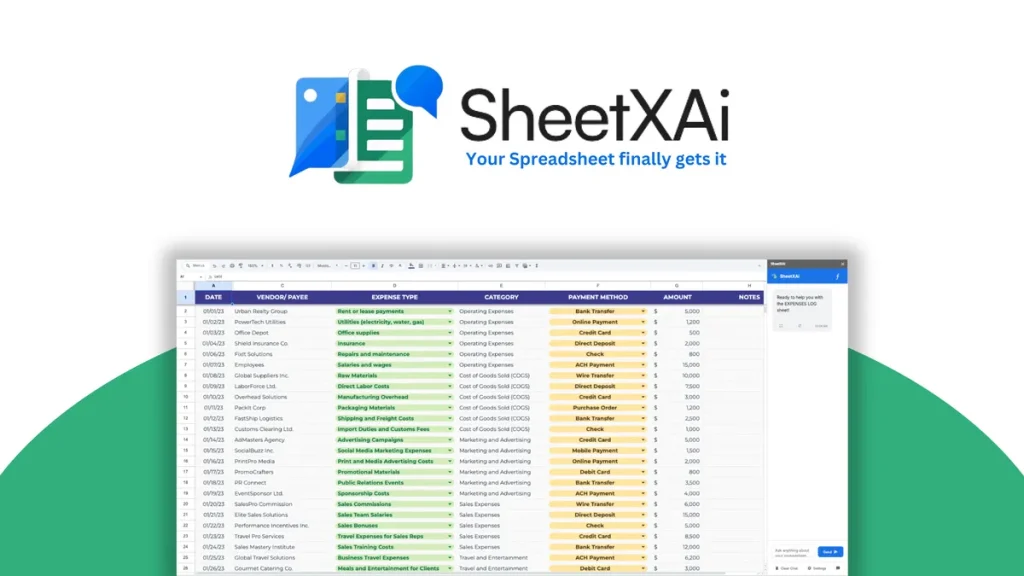
SheetXAI transforms this by adding a true AI assistant inside both Google Sheets and Microsoft Excel so you can type everyday language and let AI execute the tasks for you — no manual formulas, no plugins to learn, no repetitive work.
From generating formulas and automating data operations to content generation and business integration, SheetXAI promises to evolve your spreadsheet beyond traditional limits.
What Is SheetXAI?
SheetXAI is an AI-powered spreadsheet automation platform that integrates directly into Google Sheets and Excel and lets you use natural language commands to:
-
Generate complex formulas
-
Analyze trends and patterns
-
Create charts and reports
-
Automate repetitive tasks
-
Extract data from documents
-
Generate content from data
-
Integrate with external tools like SEO services and email validators
Instead of remembering functions, you simply tell the tool what you want (e.g., “Match emails between sheets” or “Create a pivot chart”) — and SheetXAI executes it for you.
Best For
SheetXAI is ideal for:
| User Type | Best Use Case |
|---|---|
| Data analysts | Fast data cleanup & insights |
| Marketers | Content & campaign automation |
| Ecommerce teams | Bulk product & SEO operations |
| Agencies | Client reporting workflows |
| Recruiters | Candidate data automation |
| Finance teams | Formula & chart automation |
SheetXAI works with both Google Sheets and Microsoft Excel, making it flexible across teams and platforms. Visit Our Officail Website>Affiliatalk
Key Features
🧠 Natural Language Commands
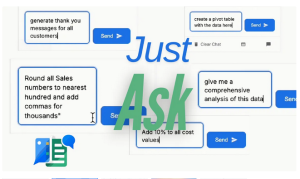
Ask in plain English — “filter rows where sales > 1000” — and get results instantly.
⚡ Instant Formula Generation
No more memorizing syntax — AI writes formulas for you.
📊 Smart Data Analysis
Summaries, trend detection, patterns and insights with minimal effort.
🧩 Bulk Operations & Multi-Sheet Support
Work across multiple sheets and spreadsheets at once with ease.
📄 Document & Image Data Extraction
Extract tables and structured data from PDFs and images.
📈 Content Generation
Generate descriptions, product copy, emails, reports and more right from cells.
🌐 Integrations
Link with external tools — email verifiers, SEO APIs, lead tools and more — directly within spreadsheets.
Use Cases
• Bulk Data Cleanup: Remove duplicates, merge sheets, standardize formats
• Analysis & Reporting: Trend insights, summaries, pivot charts
• Ecommerce Management: Manage products, create content, sync with store tools
• Recruitment: Screen candidates, enrich data, auto-generate outreach
• SEO & Marketing: SEO audits, keyword extraction, competitive analysis
• Content Production: Draft emails, meta descriptions, product texts
These workflows save hours compared to manual formulas and copy-paste tasks.
SheetXAI vs Notion
| Feature | SheetXAI | Notion |
|---|---|---|
| AI Spreadsheet Automation | ✅ Yes | ❌ No |
| Natural Language in Sheets | ✅ Yes | ❌ No |
| Data Analysis & Reports | ✅ Yes | ❌ No |
| Content Generation in Sheets | ✅ Yes | ⚠️ Workarounds |
| Docs & Knowledge Base | ❌ | ✅ Yes |
| Internal Project Notes | ❌ | ✅ Yes |
📌 SheetXAI wins for spreadsheet tasks.
📌 Notion wins for documentation and team collaboration.
Use Notion to plan workflows, SheetXAI to execute them in spreadsheets.
Pros and Cons
✅ Pros
✔ Works in Excel and Google Sheets
✔ No formula knowledge required
✔ Handles multi-sheet & bulk operations
✔ Powerful integrations (email, SEO, ecommerce)
✔ Data extraction from documents
✔ Automates repetitive, time-heavy tasks
❌ Cons
✖ May be complex for very light users
✖ Some advanced features may require higher-tier plans
✖ Not a standalone spreadsheet app — works as add-in  Grab SheetXAI on AppSumo
Alternatives
| Tool | Best For |
|---|---|
| SheetAI | Basic AI functions in Sheets |
| SheetMagic | AI content inside Sheets |
| Numerous.ai | Simple GPT integrations |
| Google Gemini for Sheets | Free basic AI suggestions |
| Zapier + Sheets | Workflow automation (non-AI) |
SheetXAI is more powerful and flexible than basic AI add-ons due to its cross-sheet automation and bulk processing support.
AppSumo Deal Features (Affiliate Ready)
When available on AppSumo, SheetXAI deals typically include:
✔ Lifetime access option (one-time payment)
✔ Bulk AI credits
✔ Cross-platform support (Excel + Google Sheets)
✔ Integrations with SEO, email, ecommerce APIs
✔ Priority support in higher tiers
🔥 One-time deals make SheetXAI significantly more affordable than monthly SaaS fees — especially for teams that live inside spreadsheets. Visit Our Officail Website>Affiliatalk
Summary
SheetXAI is a game-changer for spreadsheet users — turning spreadsheets into AI-powered workflows rather than static tables. If your work involves data manipulation, reporting, automation, or content generation inside Excel or Google Sheets, SheetXAI can save hours of manual work every week and unlock workflows that normally require programming or multiple tools.
FAQ (People Also Ask – CTR Boost)
❓ What is SheetXAI used for?
SheetXAI is used to automate spreadsheet tasks, generate formulas, analyze data, extract info from documents, and automate workflows using plain English commands.
❓ Does SheetXAI work in both Excel and Google Sheets?
Yes — SheetXAI supports both Microsoft Excel and Google Sheets through add-ins or extensions.
❓ Can SheetXAI replace manual formulas?
Yes — SheetXAI can generate and execute complex formulas automatically based on natural language instructions